RCS message types in Klaviyo
RCS pricing in Klaviyo is based on message type and region. Let’s break down the 2 types of RCS messages that impact pricing:
- Basic RCS
These are text-only messages that do not support any media or interactive elements. (*In the US only, you can send a Basic RCS with quick actions). - Single RCS
These are messages that support rich media and interactive elements.
For a more in-depth breakdown of estimated credits per region, view RCS Pricing. You can also see more information for pricing plans on our website.
While there are 2 RCS types for billing (Basic and Single), in Klaviyo you can build multiple RCS message formats: Basic RCS (text-only) and 2 Single RCS formats (Rich card and Carousels). Let’s walk through what each of these are now:
Basic RCS (text-only)
Basic RCS is a text-only message with no media or interactive elements.
Features:
- Verified, branded sender ID
- Character limit: up to 160 characters of plain text per message (text and emojis), for up to 3072 total characters. Basic RCS is billed in 160 character segments. When you surpass 160 characters:
- Your credits and cost will increase accordingly.
- In the US, your message is sent as multiple messages.
- Everywhere else, your RCS is upgraded from Basic to Single.
- Read and click receipts
- Option to add up to 11 quick actions (either visit link or quick replies) in the US only (if not in US and includes quick actions, it will be sent as Single RCS).
- On iOS, these render as buttons.
- On Android, these render on tappable chips.
Single RCS (Rich card)
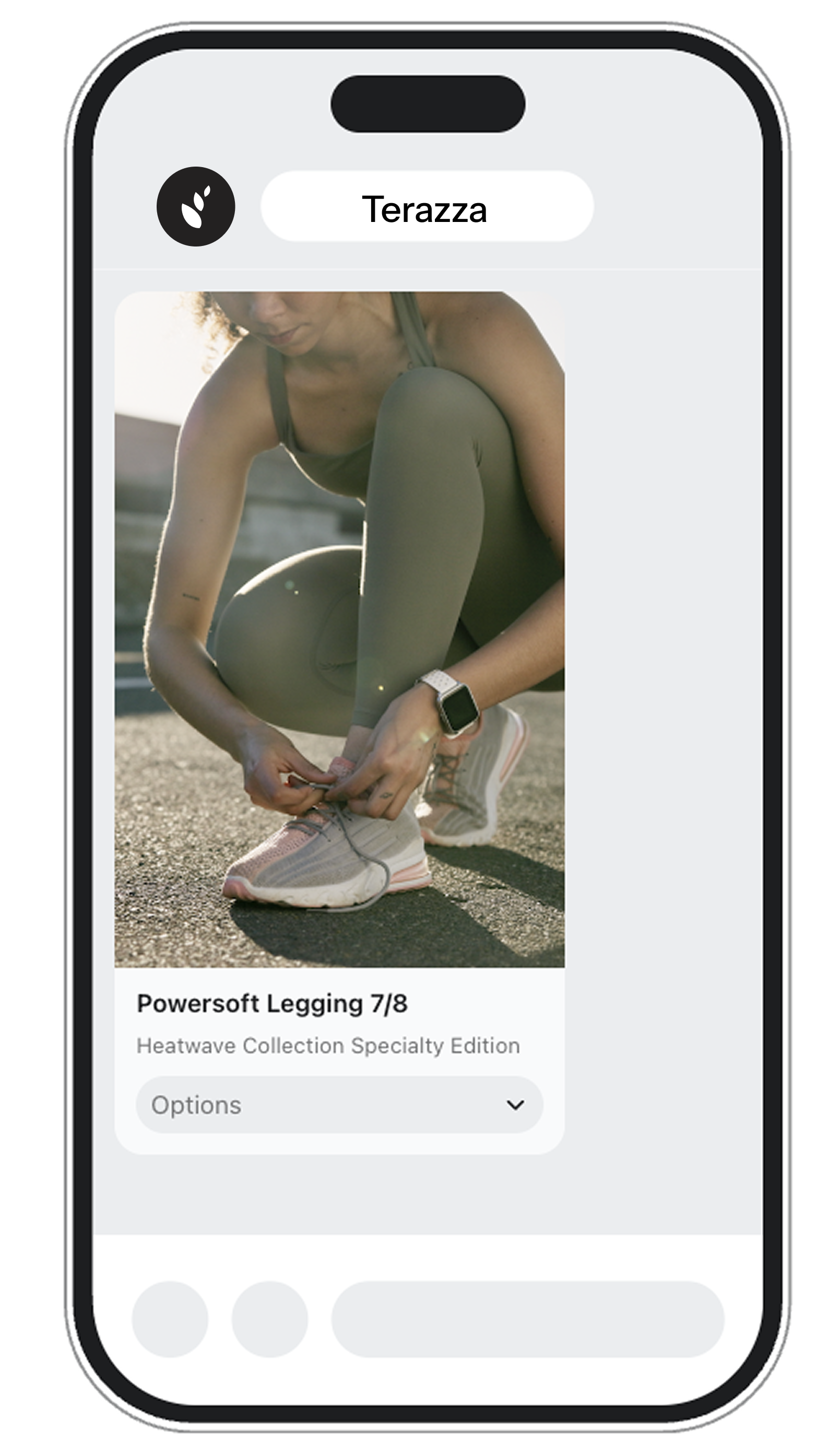
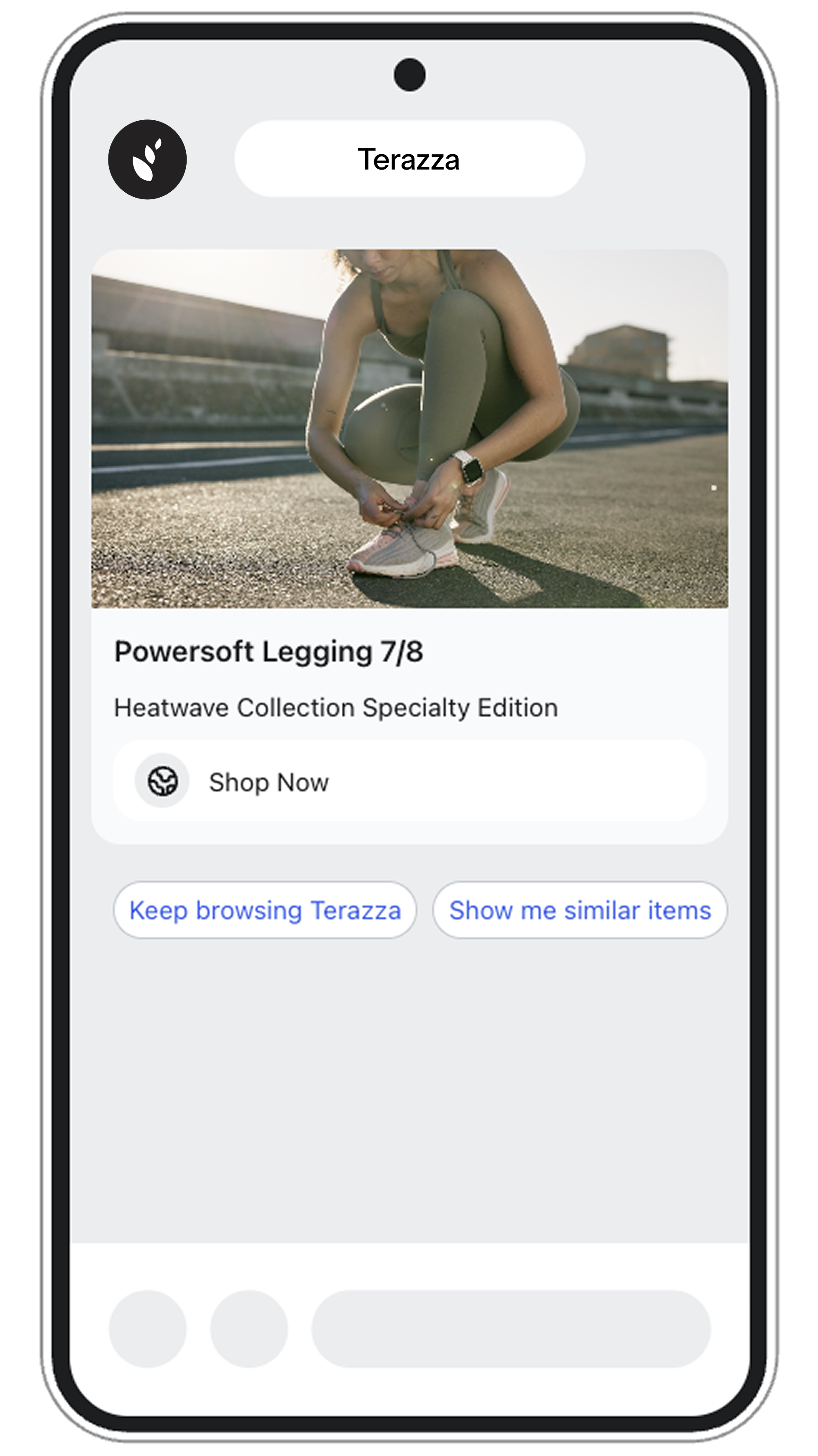
Single RCS (Rich card) is a message that includes a single card with text, rich media, and a call-to-action.
Features:
- Verified, branded sender ID
- Text (up to 3072 characters)
- Media: Supports an image or video file
- Read and click receipts
- Buttons: Option to add up to 4 buttons
- Option to add up to 11 quick actions (either visit link or quick replies)
- On iOS, these render as buttons.
- On Android, these render on tappable chips.
Single RCS (Carousel)
Single RCS (Carousel) is a message that includes up to 10 rich cards in a swipeable row.
Features:
- Verified, branded sender ID
- Text (up to 3072 characters)
- Media: Supports an image or video file
- Read and click receipts.
- Buttons: Option to add up to 4 buttons
- Option to add up to 11 quick actions (either visit link or quick replies)
- On iOS, these render as buttons.
- On Android, these render on tappable chips.
Identify features of a Single RCS (Rich Card)
Now that you’ve learned a bit about the RCS message types available in Klaviyo, let’s test our knowledge by exploring the images below of Single RCS (Rich card). One example is for an RCS viewed on an Android , and the other is an RCS viewed on an iPhone. Click on the expandable plus signs (+) to learn what each feature is, and why it’s useful.
Single RCS (Android)
Single RCS (iPhone)